Tutorial
Requirements
The project is Python3 only, tested on Python 3.5 and 3.6.
Graphviz - Graph Visualization Software is required to be installed and present on system path to input/output DOT files.
Installation
From PyPi using pip:
pip install pysimpleautomata
From source:
python setup.py install
pip install -r requirements.txt
It is advised in any case to use a Python Virtual environment instead of a global installation.
I/O
IO is managed by PySimpleAutomata.automata_IO module:
from PySimpleAutomata import automata_IO
DOT and JSON file are supported for input and output. AFW use only JSON because alternate automata doesn’t have a “natural” graph representation.
Next section will explain the format specification used by the various automaton.
Warning
Placing readability over functionality, the library doesn’t handle explicitly exceptions. In that way the library will not give any hint about possible errors, but will just rise the low level relative Python exception. Pay attention in providing correct automata in input as stated in this documentation.
DOT
DOT is a plain text graph description language. This format is recommend for DFAs and NFAs because permits to have natively both a graphical representation and an easy to read plain-text.
Here will be covered the aspects of DOT format needed for of this library, but for a complete understanding see the Graphviz documentation Different usages of DOT may lead to unexpected results and behaviours so attain to the rules exposed in this documentation.
DOT file is managed in input through Pydot package because of its file handling flexibility, while graphviz is used to output because returns a cleaner file, without tons of useless metadata.
The automata definition is wrapped in a digraph statement (i.e. directed graph)
digraph{ ... }
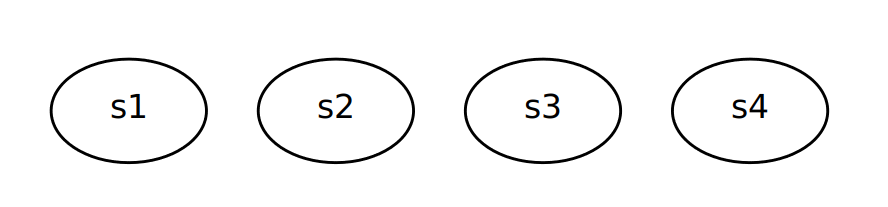
States are graph Nodes that are represented simply by a string and needs just to be listed. Follow DOT specification for name restrictions.
digraph{
    s1
    s2
    s3
    s4
}
Note
Following names are prohibited as are used by PySimpleAutomata for specific task (covered in following sections):
fake
fakeN (where N is a number)
sink
None
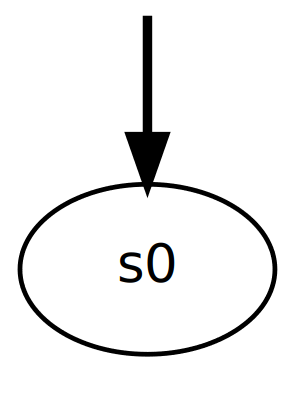
Root nodes are identified by the attribute root=true
s0 [root=true]For graphical purposes each root has an entering bold arrow. In order to draw that a dummy node fake with attribute style=invisible is created and linked to the root with attribute style=bold.
This node and transition will be ignored during the importing or created when exporting
fake [style=invisible]
fake -> s0 [style=bold]

s0 [root=true]
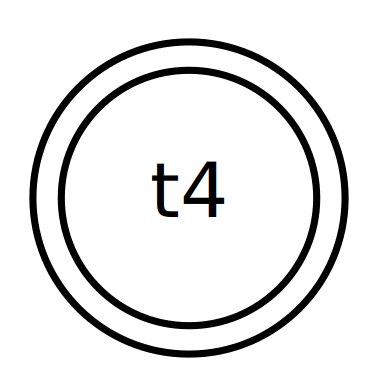
Accepting nodes are identified by the attribute shape=doublecircle
t4 [shape=doublecircle]
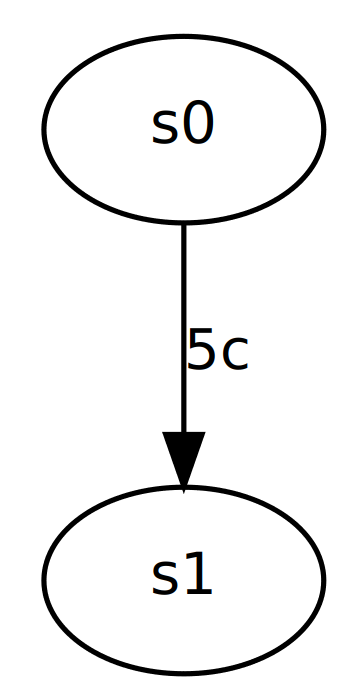
Transitions between nodes is represented by a directed arrow and an attribute label
s0 -> s1 [label="5c"]
Always double quote labels.
DFA
Example:
digraph{
    fake [style=invisible]
    fake -> s0 [style=bold]

    s0 [root=true, shape=doublecircle]

    s1
    s2 [shape=doublecircle]
    s3
    s4

    s0 -> s1 [label="5c"]
    s0 -> s4 [label="10c"]
    s1 -> s2 [label="5c"]
    s1 -> s3 [label="10c"]
    s2 -> s3 [label="5c"]
    s2 -> s3 [label="10c"]
    s3 -> s0 [label="gum"]
    s4 -> s3 [label="5c"]
    s4 -> s3 [label="10c"]
}
Result:
DFAs have just one root and each node has at most one transition with a certain label.
fake node is reserved to draw the bold arrow pointing the root.
sink node is reserved for DFA completion.
None node, representing the same name Python Built-in Constant, is reserved in case a DFA has no root (i.e. empty DFAs). It is ignored in input.
Attention! No conformance checking
INput function
dfa_dot_importerOUTput function
PySimpleAutomata.automata_IO.dfa_to_dot
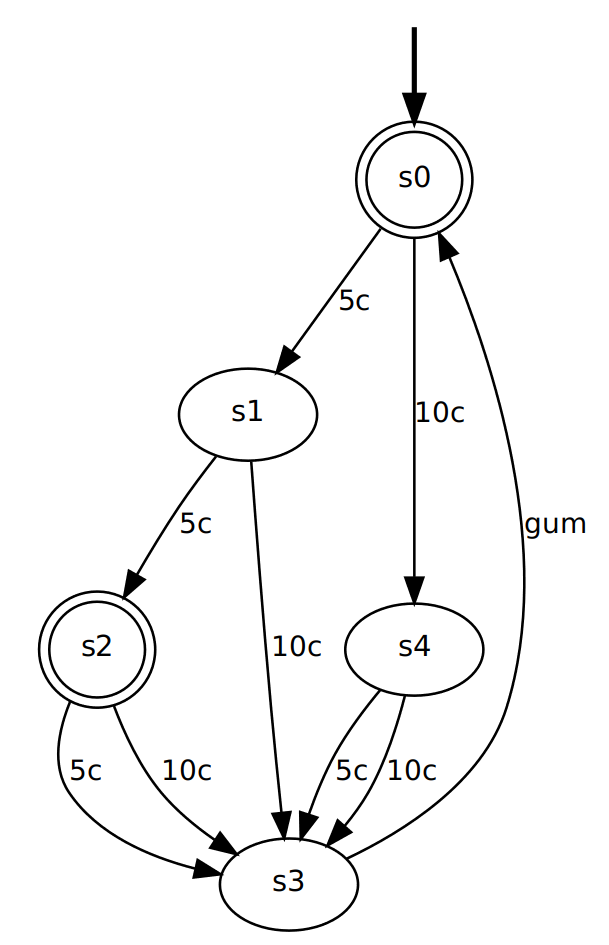
NFA
Example:
digraph{
    fake [style=invisible]
    t0 [root=true, shape=doublecircle]

    fake -> t0 [style=bold]

    foo [style=invisible]
    a0 [root=true, shape=doublecircle]

    foo -> a0 [style=bold]

    t1
    t2
    t3
    t4 [shape=doublecircle]

    a0 -> t1 [label="a"]
    t0 -> t1 [label="b"]
    t0 -> t2 [label="a"]
    t1 -> t2 [label="c"]
    t1 -> t3 [label="c"]
    t1 -> t4 [label="b"]
    t2 -> t4 [label="a"]
    t2 -> t2 [label="a"]
    t2 -> t1 [label="b"]
    t3 -> t3 [label="b"]
    t3 -> t1 [label="a"]
    t3 -> t4 [label="a"]
    t3 -> t0 [label="b"]
    t3 -> t0 [label="c"]
    t4 -> t0 [label="c"]
    t4 -> t0 [label="b"]
    t4 -> t4 [label="a"]
}
Result:
NFAs have at least one root and each node may have more transition with a certain label.
All nodes labelled with style=invisible and their relative transition are skipped as they are used to draw roots arrows.
fakeN (where N is a number) nodes are reserved for output purpose to draw the bold arrows pointing the roots.
sink node is reserved for NFA completion.
Attention! No conformance checking
INput function
PySimpleAutomata.automata_IO.nfa_dot_importerOUTput function
PySimpleAutomata.automata_IO.nfa_to_dot
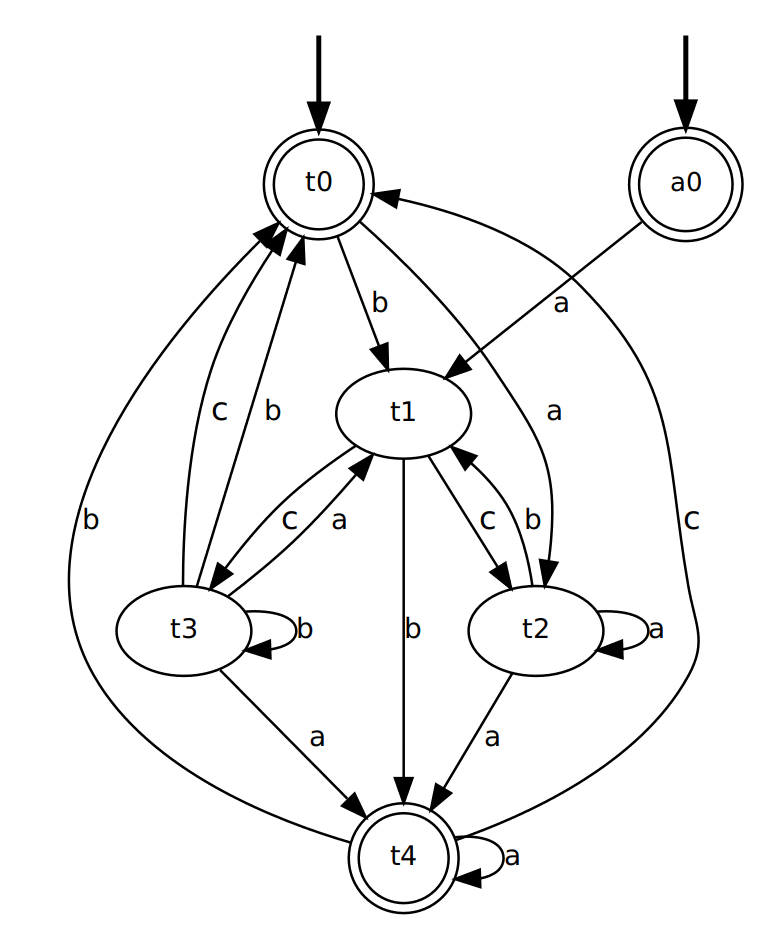
JSON
JSON (JavaScript Object Notation) is a lightweight data-interchange format. The JSON resemble almost 1:1 the structure of the automata used in the code and indeed permits a more strait forward data IN/OUT still being human readable.
To have a graphical representation of DFAs and NFAs use DOT format.
The general JSON structure for automata is the following:
{
    "alphabet": ["a1", "a2", ... , "aN"],
    "states": ["s1", "s2", ... , "sK"],
    "initial_states": ["sX", ... , "sY"],
    "accepting_states": ["sA", ..., "sB"],
    "transitions": [
        ["from", "action", "to"],
        ...,
        ["from_Z", "action_Z", "to_Z"]
    ]
}
DFA
Example:
{
  "alphabet": [
    "5c",
    "10c",
    "gum"
  ],
  "states": [
    "s0",
    "s1",
    "s2",
    "s3",
    "s4"
  ],
  "initial_state": "s0",
  "accepting_states": [
    "s0",
    "s2"
  ],
  "transitions": [
    ["s0","5c","s1"],
    ["s0","10c","s4"],
    ["s1","5c","s2"],
    ["s1","10c","s3"],
    ["s2","5c","s3"],
    ["s2","10c","s3"],
    ["s4","5c","s3"],
    ["s4","10c","s3"],
    ["s3","gum","s0"]
  ]
}
- Where:
“alphabet”: list of all the actions possible in the automaton, represented as strings;
“states”: list of all the states of the automaton, represented as strings;
“initial_state”: string identifying the root node, present in “states”;
“accepting_states”: list of accepting states, subset of “states”;
“transitions”: list of triples (list), to read [“from-this-state”,”performing-this-action”,”move-to-this-state”], where “from” and “to” ∈ “states” and “action” ∈ “alphabet”
Attention! no conformance checking
INput function
PySimpleAutomata.automata_IO.dfa_json_importerOUTput function
PySimpleAutomata.automata_IO.dfa_to_json
NFA
Example:
{
  "alphabet": [
    "a",
    "b",
    "c"
  ],
  "states": [
    "a0",
    "t0",
    "t1",
    "t2",
    "t3",
    "t4"
  ],
  "initial_states": [
    "t0",
    "a0"
  ],
  "accepting_states": [
    "t0",
    "t4",
    "a0"
  ],
  "transitions": [
    ["t0","b","t1"],
    ["t0","a","t2"],
    ["t1","c","t3"],
    ["t1","c","t2"],
    ["t1","b","t4"],
    ["t2","b","t1"],
    ["t2","a","t2"],
    ["t2","a","t4"],
    ["t3","c","t0"],
    ["t3","b","t0"],
    ["t3","b","t3"],
    ["t3","a","t4"],
    ["t3","a","t1"],
    ["t4","a","t4"],
    ["t4","b","t0"],
    ["t4","c","t0"],
    ["a0","a","t1"]
  ]
}
- Where:
“alphabet”: list of all the actions possible in the automaton, represented as strings;
“states”: list of all the states of the automaton, represented as strings;
“initial_states”: list of root nodes, subset of “states”;
“accepting_states”: list of accepting states, subset of “states”;
“transitions”: list of triples (list), to read [“from-this-state”,”performing-this-action”,”move-to-this-state”], where “from” and “to” ∈ “states” and “action” ∈ “alphabet”
Attention! no conformance checking
INput function
PySimpleAutomata.automata_IO.nfa_json_importerOUTput function
PySimpleAutomata.automata_IO.nfa_to_json
AFW
Example:
{
  "alphabet": [
    "a",
    "b"
  ],
  "states": [
    "s",
    "q0",
    "q1",
    "q2"
  ],
  "initial_state": "s",
  "accepting_states": [
    "q0",
    "s"
  ],
  "transitions": [
    ["q0", "b", "q0 or q2"],
    ["q0", "a", "q1"],
    ["q1", "a", "q0"],
    ["q1", "b", "q1 or q2"],
    ["q2", "a", "q2"],
    ["s", "b", "s and q0"],
    ["s", "a", "s"]
  ]
}
- Where:
“alphabet”: list of all the actions possible in the automaton, represented as strings;
“states”: list of all the states of the automaton, represented as strings;
“initial_state”: string identifying the root node, present in “states”;
“accepting_states”: list of accepting states, subset of “states”;
“transitions”: list of triples (list), to read [“from-this-state”, “performing-this-action”, “move-to-a-state-where-this-formula-holds”], where “from” ∈ “states”, “action” ∈ “alphabet”.
The third element of transition triple is a string representing a Python formula (that will be evaluated as Boolean), where all the elements ∈ “states” and only {‘and’, ‘or’, ‘True’, ‘False’} operators are permitted. Parenthesis usage is encouraged to avoid naives errors of operators evaluation order.
Attention! no conformance checking
INput function
PySimpleAutomata.automata_IO.afw_json_importerOUTput function
PySimpleAutomata.automata_IO.afw_to_json
Automata representation
For transparency, the automata are represented with Built-in Types instead of an object structure. More precisely an automata is a dict with the following keys :
‘alphabet’,
‘states’,
‘initial_state(s)’,
‘accepting_states’,
‘transitions’
Respective mapping of each key varies depending on the specific automata type (mainly sets). See DFA, NFA, AFW for specifications.
Note
Being not a fixed object is up to the user to ensure the correctness of the data.
DFA Example:
dfa_example = {
    'alphabet': {'5c', '10c', 'gum'},
    'states': {'s1', 's0', 's2', 's3'},
    'initial_state': 's0',
    'accepting_states': {'s0'},
    'transitions': {
        ('s1', '5c'): 's2',
        ('s0', '5c'): 's1',
        ('s2', '10c'): 's3',
        ('s3', 'gum'): 's0',
        ('s2', '5c'): 's3',
        ('s0', '10c'): 's2',
        ('s1', '10c'): 's3'
    }
}
Usage
Just import the desired module and use the functions.
Example:
from PySimpleAutomata import DFA, automata_IO

dfa_example = automata_IO.dfa_dot_importer('/PATH-IN/input.dot')

DFA.dfa_completion(dfa_example)
new_dfa=DFA.dfa_minimization(dfa_example)

automata_IO.dfa_to_dot(new_dfa, 'output-name', '/PATH-OUT/')
See Modules for the complete API explanation.
Note
By design all the functions, except the predisposed one, will NOT return MINIMAL automata.
Warning
States with the same name from different automata should not be considered the same entity. Avoid using automata with state names in common. When in doubt use rename_X_states() functions (where X=type of automaton) to rename the whole automaton states.
Testing
If in one hand the library doesn’t handle exceptions or perform any conformance checking on input, it has been widely tested through unit testing methodology, decreasing possibilities of unexpected behaviours. Python unittest — Unit testing framework has been used.
Around 250 tests are provided and are listed in Unit testing.